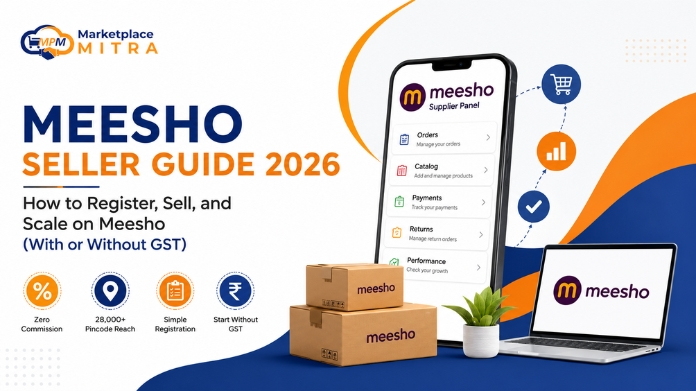
Becoming a Meesho seller is one of the most searched first steps into Indian ecommerce, and for good reason. Zero commission, a genuinely simple sign-up, and reach into tens of thousands of pincodes make it one of the few platforms where a first-time seller in a small town can compete on equal footing with an established brand.
This guide answers the exact questions people search before, during, and after they register: how to sell on Meesho, how to set up a Meesho Seller Account, how to register on Meesho as a seller step by step, and how to sell on Meesho without GST. It also covers something most guides skip entirely: what happens operationally once your Meesho store actually starts working, and how sellers who scale smoothly get ahead of that before it costs them money.
Quick answer: To become a Meesho seller, register on the Meesho Supplier Panel with your mobile number, GSTIN (or Enrolment ID/UIN if you don’t have GST), and bank details. Verification takes a few days, after which you can upload your catalog and start receiving orders, with zero commission charged on any sale.
Table of Contents
- Why Sellers Choose Meesho
- How to Register on Meesho as a Seller (Step-by-Step)
- How to Sell on Meesho Without GST
- Best Categories to Sell Products Online on Meesho
- Listing Strategies to Improve Visibility
- What Happens After You Succeed as a Seller on Meesho
- Frequently Asked Questions
Why Sellers Choose Meesho
Meesho was built differently from Amazon or Flipkart. Instead of asking new sellers to compete against established brands with big ad budgets, it was designed to let anyone, including a first-time seller in a tier-3 city, reach millions of buyers with minimal upfront investment.
| What Meesho Offers | Why It Matters for a New Seller |
| Zero commission | You keep 100% of your set price, no per-order cut |
| 28,000+ pincode reach | Access to tier 2 and tier 3 markets most sellers can’t reach alone |
| Simple onboarding | No lengthy ID/address/tax paperwork like some platforms require |
| No-GST route available | Sellers below the turnover threshold can start without a GSTIN |
| Thousands of categories | Fashion, beauty, home, electronics, and more, low category lock-in |
Because the barrier to entry is this low, “meesho seller” is now searched over two million times a month in India, a strong signal of just how many people are actively trying to start this year.
How to Register on Meesho as a Seller (Step-by-Step)
Here’s exactly how to set up your Meesho Seller Account and go live. It’s the same process whether you’re searching “how to sell on Meesho,” “how to sell products on Meesho,” or “how to sell products online on Meesho.” They’re all the same question with the same answer.
Step 1: Create Your Seller Account
Go to the Meesho seller registration page (also referred to as the Meesho Seller Hub, though Meesho’s official name for it is the Supplier Panel). Enter your mobile number and verify via OTP, then set your email ID and a strong password (minimum 8 characters, one capital letter, one number, one special character).
Step 2: Add Your GSTIN or Enrolment ID/UIN
GST-registered sellers enter their GSTIN directly. If you don’t have one, you can still register using an Enrolment ID or UIN, covered in detail in the next section.
Step 3: Link an Active Bank Account
This must match the name registered under your GST/enrolment identity. All payments, both COD and prepaid, settle here directly.
Step 4: Set Your Store Name and Pickup Address
Your store name is your public business identity on the platform. Your pickup address is where Meesho’s logistics partner collects every order, so make sure it’s accurate and consistently staffed.
Step 5: Get Verified
Meesho typically takes a few days to verify your submitted details. Once approved, you’re granted access to the Supplier Panel.
Step 6: Upload Your Catalog and Go Live
This is where the real work, and the real opportunity, begins.
Building and Uploading Your First Catalog
A catalog groups similar products together (10 sarees = one catalog; 10 sarees plus 2 tops = two catalogs). You can upload manually or in bulk via CSV/Excel for faster scaling. Most sellers see stronger early visibility by uploading 5–7 catalogs in their first week rather than adding products one at a time.
Two factors influence conversion more than anything else at this stage:
- High-quality images: multiple angles, clean lighting, accurate colour representation
- Clear, keyword-rich descriptions: written for both the buyer and Meesho’s search ranking, including relevant local-language terms
Pricing, Orders, and Payments
Use Meesho’s price recommendation tool as a baseline, then adjust for your actual margin after packaging, shipping, and expected returns, not just cost price. Once your catalog is live, orders arrive via email and the Supplier Panel; Meesho’s logistics partner handles pickup and delivery. Payments settle directly to your bank account, trackable under the Payments tab, with returned orders visible under RTO (Return to Origin).
How to Sell on Meesho Without GST in 2026
Quick answer: Yes, you can legally sell on Meesho without a regular GST number. Since October 2023, sellers without a GSTIN, or those on the Composition GST scheme, can register using an Enrolment ID or UIN from the GST portal. The trade-off: you can only sell within your registered home state, and there are annual turnover limits.
Who Qualifies to Sell Without a Regular GSTIN
You’re eligible to register without full GST if you:
- Don’t currently hold a GSTIN
- Hold a Composition Scheme GSTIN
- Run a small business and are comfortable selling only within your home state
Documents You’ll Need
- A valid, active bank account
- An Enrolment ID or UIN from the GST portal
- Basic identity and business details
How to Get Your Enrolment ID or UIN
- Apply through the official GST portal
- Keep your bank account details ready before you begin
- Visit the Meesho seller registration page and sign up free using your Enrolment ID/UIN
- Complete your profile and start selling within your registered state
Turnover Limits Before Regular GST Becomes Mandatory
| Seller Type | Annual Net Sales Limit (Most States) | Annual Net Sales Limit (NE States) |
| Enrolment ID / UIN sellers | ₹40 lakhs | ₹20 lakhs |
| Composition GSTIN sellers | ₹1.5 crore | ₹75 lakhs |
These limits apply to your total sales across all channels, not just Meesho. Once you cross them, a regular GSTIN becomes mandatory to keep selling legally.
Best Categories to Sell Products Online on Meesho
If you’re still deciding what to sell, these categories consistently move volume on the platform:
- Women’s ethnic wear: sarees, kurtis, dresses remain the platform’s core demand driver
- Men’s apparel: formal, casual, and ethnic wear
- Kids’ clothing: steady, year-round demand
- Fashion jewellery and accessories: especially handmade, affordable pieces
- Beauty and personal care: skincare and haircare see strong repeat purchase rates
- Footwear across all age groups
- Home decor and kitchen essentials
- Mobile accessories: covers, chargers, earphones, power banks
- Bags and luggage
- Grocery and packaged food
- Fitness and sports gear
- Baby care products
Listing Strategies That Actually Improve Visibility
Get your category hierarchy right. A kurti belongs under Fashion > Women’s Fashion > Ethnic Wear > Kurti, not a generic or mismatched category. Incorrect hierarchy placement quietly suppresses visibility without any obvious warning.
Standardize every product field. Category-specific details (ingredients for FMCG, size/colour for fashion) should be complete and consistent across your entire catalog. Both buyers and Meesho’s ranking logic reward completeness.
Use localized keywords. Region-specific search terms put your listings in front of buyers actively searching in their own language and dialect, not just generic English terms.
Join Next Day Dispatch (NDD). Sellers enrolled in NDD get placed higher in homepage visibility and see measurably fewer cancellations and RTOs, one of the highest-leverage moves available to any Meesho seller.
What Happens After You Succeed as a Seller on Meesho
This is the part almost every “how to sell on Meesho” guide skips, because it doesn’t show up in week one. It shows up in month three or four, right when things are going well.
You go from 500 orders a day to 1,000. Someone tells you not to put all your eggs in one basket, so you add Flipkart. Then Amazon. Then Myntra, because your fashion catalog fits naturally. Suddenly you’re not managing one seller account. You’re managing five browser tabs, five separate stock counts of the same inventory, five settlement cycles, and five different places an order can silently go wrong.
This is where sellers actually lose money, not from bad products, but from operational chaos:
- Stock shows available on Meesho when it already sold out on Flipkart an hour earlier, so now you’re issuing a refund and eating a cancellation.
- A Meesho settlement lands in your account with no fast way to check it against the orders it should cover, so underpayments go unnoticed for weeks.
- Every order needs a GST-compliant invoice, and doing that manually across five channels turns into hours of admin work your CA ends up billing for.
- You’re checking five different dashboards throughout the day because none of them talk to each other.
Each inventory mismatch like this typically costs somewhere between ₹500 and ₹2,000 once you count the refund, the lost customer trust, and the team time spent untangling it. At 1,000+ orders a day across multiple channels, that adds up fast, and it rarely shows up as one line item, so most sellers never total it up until it’s already a real drag on margin.
This Is Exactly the Gap Marketplace Mitra Was Built to Close
Marketplace Mitra is a multichannel ecommerce platform built specifically around the operational reality of Indian sellers, not a Western tool with India features added on afterward. A few ways it directly addresses what happens after your Meesho account starts scaling:
- One dashboard, every channel. Amazon, Flipkart, Meesho, and Myntra orders arrive in a single unified inbox, so your team stops logging into five different Supplier Panels just to fulfil one day’s orders.
- Real-time inventory sync. The moment a unit sells on any channel, stock updates everywhere else automatically, before the next buyer can click “Buy.” Sellers using this typically see around a 69% drop in inventory mismatch incidents.
- GST invoicing that doesn’t need a CA for routine work. Forward and reverse charge, GSTIN validation, TDS handling, and e-Way bills generate automatically for every order, with direct export to Tally and Zoho Books.
- Payment reconciliation against your actual Meesho settlements. Every settlement is auto-matched against the orders it should cover, so discrepancies surface immediately instead of quietly disappearing.
- WhatsApp alerts instead of five inboxes. New order, low-stock warning, settlement received: delivered straight to WhatsApp, because that’s genuinely how most Indian sellers already run their business.
- Bulk catalog management. Upload thousands of SKUs via CSV, push updates across every channel simultaneously, and stop manually re-listing the same product five times over.
None of this replaces the work of building a strong Meesho catalog or writing a good listing. That groundwork is still yours to do. What it removes is the operational tax that shows up after you succeed: the tab-switching, the manual reconciliation, the invoices done at 11pm, the stock count nobody fully trusts.
If you’re still managing a single Meesho Seller Account, you likely don’t need this yet: the steps above will get you there. But the moment you’re weighing a second or third marketplace, it’s worth setting up the right infrastructure before the chaos starts, not after you’ve already lost a few bulk orders figuring it out the hard way.
Frequently Asked Questions
How do I create a Meesho Seller Account?
Visit the Meesho Supplier Panel (also called the Meesho Seller Hub) and register with your mobile number, GSTIN or Enrolment ID/UIN, and bank details. Verification usually takes a few days, after which you can upload your catalog and go live.
How to register on Meesho as a seller?
Sign up on the Meesho seller portal with your phone number, email, and either a GSTIN or an Enrolment ID/UIN if you don’t have GST. Add a linked bank account and pickup address, wait for verification, then upload your first catalog to go live.
Can I become a seller on Meesho without a GST number?
Yes. Since October 2023, sellers without a regular GSTIN can register using an Enrolment ID or UIN and sell within their home state, subject to turnover limits of ₹40 lakhs (₹20 lakhs in northeastern states) annually across all sales channels.
What is the Meesho Seller Hub?
This is the commonly searched name for what Meesho officially calls the Supplier Panel: the dashboard where sellers manage listings, inventory, orders, payments, and returns.
How much does it cost to sell products online on Meesho?
Registration is free, and Meesho charges no selling commission. Your main costs are product sourcing, packaging, and any shipping charges specified in your seller agreement.
How can I avoid overselling once I add more marketplaces beyond Meesho?
The root cause is almost always disconnected inventory counts across platforms. A multichannel platform that syncs stock in real time across every channel the moment a sale happens, like Marketplace Mitra, is the most reliable fix at scale; manual updates across multiple tabs eventually fail.
Do I need separate GST invoicing for every marketplace I sell on?
Every order across every channel needs a GST-compliant invoice, but you don’t need a separate manual process per platform. Tools with built-in GST automation generate compliant invoices, including e-Way bills where applicable, for every order across every channel from one place.
How do I track Meesho payments and settlements accurately?
Cross-check every settlement against the specific orders it covers rather than just the total amount received. Automated reconciliation tools flag mismatches immediately; without one, discrepancies routinely go unnoticed for weeks.